
We’ve been busy shipping upgrades that make your station sound better, look better in search results, and feel more alive for your listeners. Here’s a quick rundown of what’s new.
🎙 Voice Song Requests
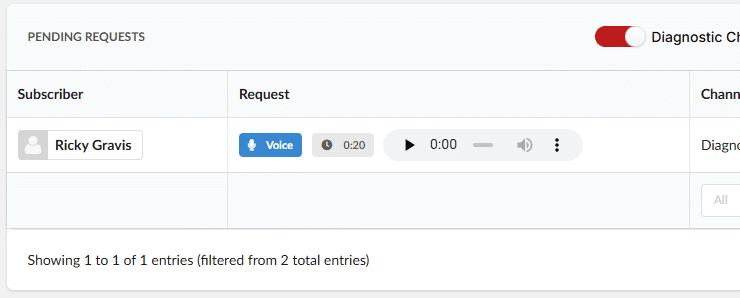
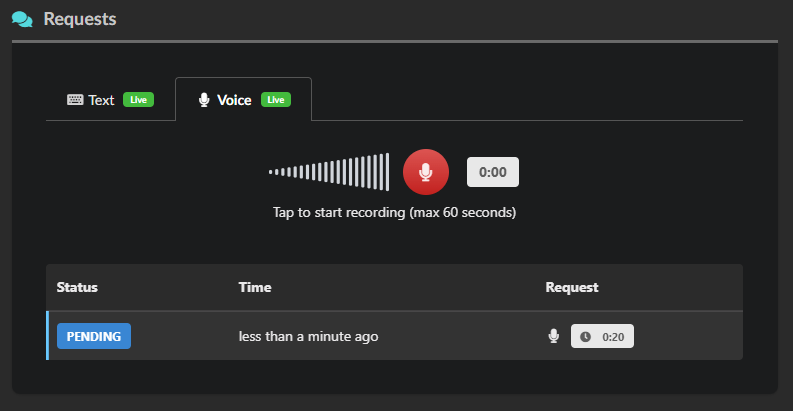
Listeners can now send your DJs audio requests — not just text. On the Requests page, a new “Voice” tab lets your audience tap the microphone, record a short message, and send it straight to your studio. Perfect for shoutouts,
dedications, and that personal touch typed messages just can’t deliver. ❤️
- 🎚️New Text / Voice toggle on the listener-facing Requests page
- 🧹 Recordings are kept tidy automatically — old audio requests are cleaned up on a schedule
- ▶️ Plays back directly from your Requests dashboard
💬 A Bigger, Stickier Chat
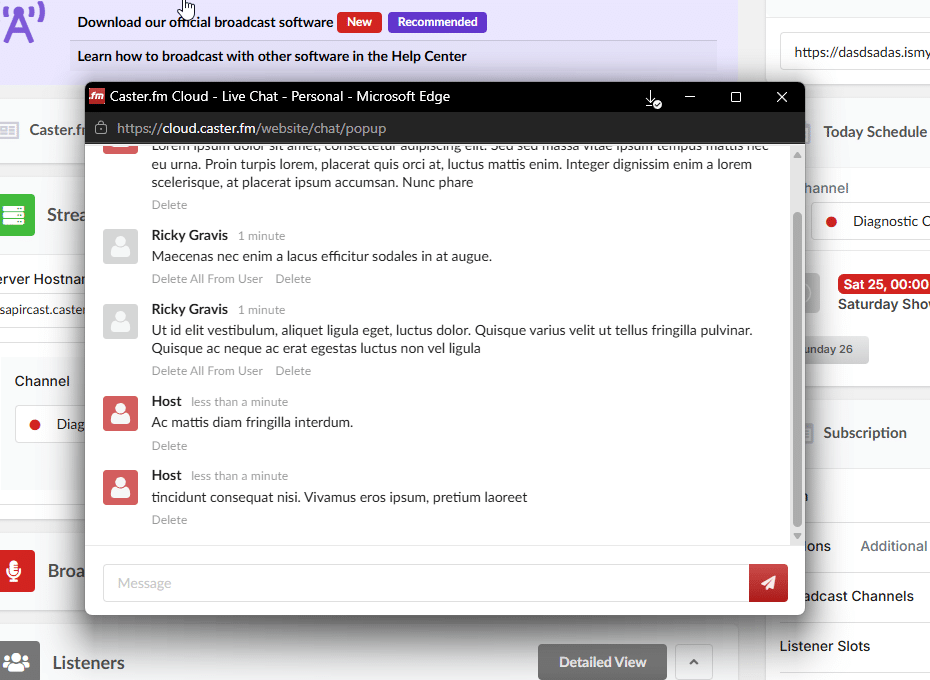
Live chat got a serious refresh:
- 🪟 Pop-out chat window — open chat in its own browser window with the new “Pop Out” button so you can keep the conversation visible while you work in another tab.
- 📜 Recent message history — chat now remembers the last 30 messages per room. New listeners joining mid-conversation see what was just said instead of an empty room. Messages are kept in fast in-memory storage with a sliding
TTL, so the experience stays snappy. ⚡ - 🛠️General reliability and behavior fixes from production usage
🔍 SEO Settings for Your Radio Website
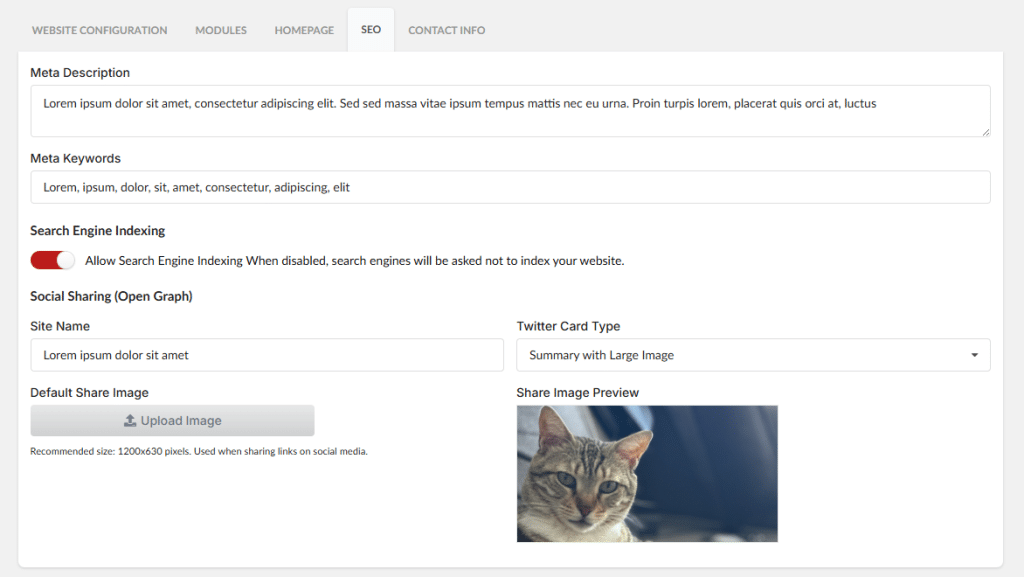
Your station deserves to be found. Under Website Settings, there’s a new SEO tab where you can fine-tune how search engines and social platforms see your site:
- 📝 Meta description & keywords for search engines
- 🖼️Open Graph site name + default share image (1200×630) so links look polished when shared on Facebook, WhatsApp, LinkedIn, etc.
- 🐦 Twitter card type — choose between Summary and Summary with Large Image
- 🤖 Search engine indexing toggle — flip it off if you’d rather stay off Google for now
- 📰 Per-article SEO overrides for the News module, so individual posts can have their own meta descriptions and share images
👉 Log in to your console, head to Website → Settings → SEO to set up your meta tags, and let your listeners know they can now send voice requests. As always — happy broadcasting!